
Desk ensemble and close-up
9:16 · 0:13
Upload three portraits, assign the keyboard player and two backing singers, then make a 5–15 second desk concert with Wan. Review the result and download MP4.
Three photos · Wan 3.0 · 5–15 seconds · 720p · 9:16
B · Rear left singer
C · Rear right singer
A · Center keyboard
Back of the stage above · front of the stage below. Left and right are as you view the video.
A · Center keyboard
Seated closest to the camera, playing the keyboard.
B · Rear left singer
Standing behind the keyboard, on your left.
C · Rear right singer
Standing behind the keyboard, on your right.
Wan 3.0 · 720p · 9:16
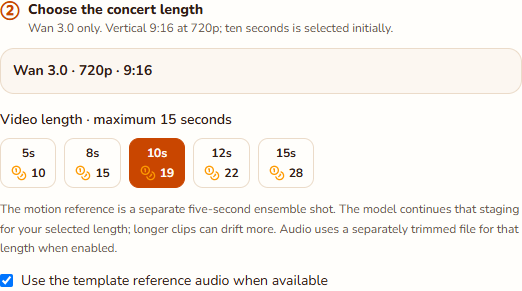
Video length · maximum 15 seconds
The motion reference is a separate five-second ensemble shot. The model continues that staging for your selected length; longer clips can drift more. Audio uses a separately trimmed file for that length when enabled.
Template reference audio is currently off. No particular song is promised; the model may produce room ambience.
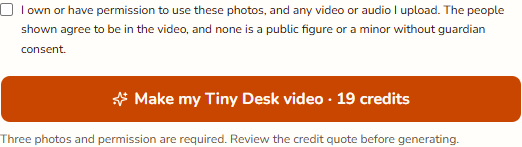
Three photos and permission are required. Review the credit quote before generating.
Generated example · Wan 3.0 · 10s · 720p · 19 credits in this recorded run. The three assigned input portraits are shown below; your own result replaces this preview.
Yes. Tiny Desk AI uses three separate subject references for one ensemble shot. The tool assigns a keyboard player and two backing singers. It does not promise the changing close-up shots seen in some trend references, and it is an independent template rather than an NPR product.
Compare all three faces with A, B and C throughout the clip. Inspect keyboard fingers, microphone overlap, extra people and role swaps. Check the completed MP4 with sound; the reference song and visible third-party examples do not establish music rights.
This completed test pairs the owner-provided portraits with a generated concert clip. The owner confirmed the role order: A at the keyboard, B behind on the viewer’s left and C behind on the viewer’s right. Play the result to judge the performance rather than treating a role label as a likeness guarantee.
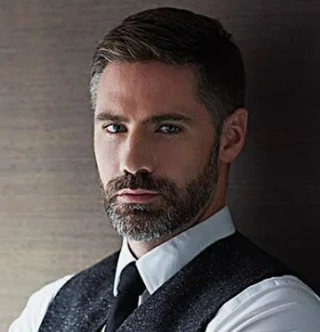
Seated closest to the camera, playing the keyboard.
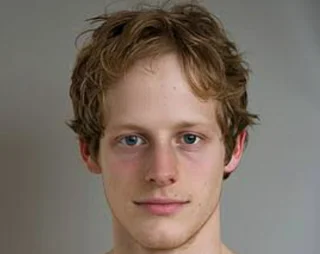
Standing behind the keyboard, on your left.
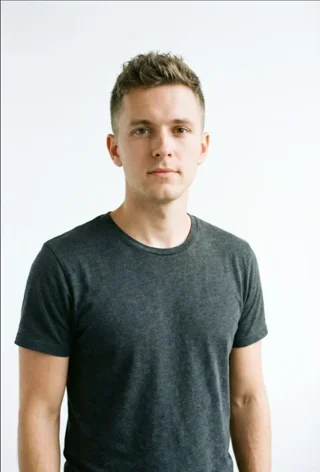
Standing behind the keyboard, on your right.
Photo A uses man1, Photo B uses man2, and Photo C uses the supplied grey-T-shirt portrait. Positions are described from the viewer’s perspective. These are the requested roles; compare all three references with the entire clip, including the ending.
Recorded run · Wan 3.0 · 10s · 720p · 9:16 · 19 credits · 29 October 2026
The owner supplied these portraits and confirmed the role order. A completed Wan run in this tool produced the featured clip. This is one example, not a measured success rate: clothing, gestures, facial detail and positions can vary in new generations.
Cast your own three-person bandThese three additional clips were supplied to illustrate the wider trend, including close-ups and instrumental shots. They are separate from the input-to-output example above and are not controlled tests of this generator. The ensemble workflow keeps your three assigned roles together instead of reproducing every cut.
9:16 · 0:13
A roughly thirteen-second example moves from the group to a close-up and an instrumental moment. Look at the opening arrangement: the keyboard player sits closest to the viewer and the two backing singers stay behind. Only that kind of ensemble framing is used for this template.
9:16 · 0:13
The second supplied version uses different on-screen subjects in a similar office concert arrangement. Its camera later leaves the trio. This helps explain why a full reference edit is not sent to the three-photo workflow: a close-up could introduce a fourth role or hide two of your performers.
9:16 · 0:19
This roughly nineteen-second clip contains the opening group shot, a lead close-up, a saxophone section and a return to the ensemble. The generator uses a five-second segment beginning at 1.5 seconds, before the next cut. The three upload slots correspond to the keyboard and the two backing positions in that segment.
Supplied references: whiteroseblk (examples 1–2) and theburnerfromhe11 (example 3), based on the filenames provided. Their model, account and generation settings have not been verified. No source portraits were supplied for these clips, so no invented “photo in” thumbnails are shown.
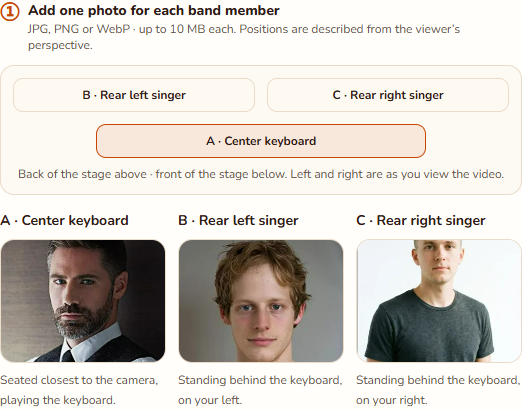
Start with three separate, clear portraits and read the role map above the upload slots. Photo A belongs to the seated keyboard player in the center foreground. Photo B goes behind that person on the viewer’s left, and Photo C goes on the viewer’s right. The labels remain visible after a photo is added, so you can review the cast before paying. Click a slot again to replace its photo. Keep one subject in each image, with the face well lit and large enough to recognize; an uncropped group photograph does not provide an unambiguous identity for an individual slot.
Try this step in the generatorAdd one photo for each band member
 Enlarge interface screenshot
Wan 3.0, 720p and vertical 9:16 are fixed for this first three-person workflow. Choose five, eight, ten, twelve or fifteen seconds. The credit quote changes with the selected length and the same settings are sent to the server. The five-second motion reference remains separate from the audio: each available audio file starts at the same source point and is trimmed for the chosen output length. If the site offers the reference-audio checkbox, check its state before generating. Otherwise do not assume the familiar trend song will be included. There is no custom-song upload or multi-shot editor on this page.
Try this step in the generatorChoose the concert length
 Enlarge interface screenshot
Sign in, confirm permission to use the people and media, and make sure your balance covers the displayed credits. Press Make my Tiny Desk video and allow five minutes or more; a busy model queue can take longer. The preview shows estimated progress and a rendering illustration, not live frames from Wan. When the result appears, play the whole clip with sound and inspect each role: three separate identities, the correct positions, coherent hands and no sudden extra performer. Download the MP4 or use the result’s sharing controls. Completed results also appear in My videos. A new successful retry is another charged task.
Try this step in the generatorConfirm and create
 Enlarge interface screenshot
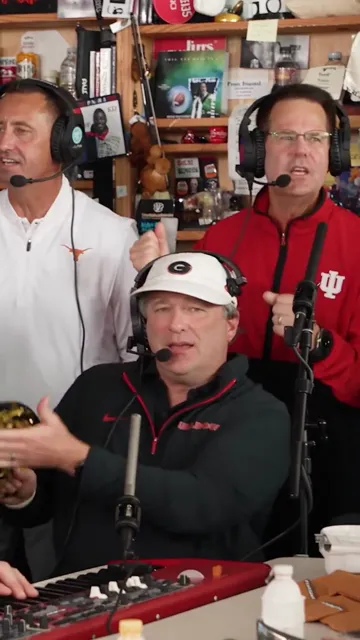
Tiny Desk AI puts the casting joke inside a small office-style concert: shelves, microphones, a red keyboard and three friends performing unusually close together. The role layout matters more than a long prompt. Keeping the keyboard player in front and the two backing singers behind gives each uploaded portrait a distinct place in the frame, while a steady camera makes it easier to judge whether the identities remain separate.
The supplied edits also show a lead singer and a saxophone solo. Those are different roles and shots, not hidden extra features of these three slots. This version asks for an uninterrupted ensemble performance and a maximum fifteen-second output. It does not replace every person across a nineteen-second original or promise an exact copy of the choreography, facial expressions or sung words. Use the samples to understand the visual idea, then assess your own result.
Use a portrait with a clear, mostly front-facing face and normal lighting. Hair, headwear and facial details should not be hidden by deep shadows, a phone or another person. The model builds the concert scene; you do not need to photograph anyone sitting at a keyboard or wearing a headset. Similar image quality across all three slots is more useful than matching backgrounds. Avoid tiny faces cut out of a distant crowd picture.
Left and right mean the viewer’s left and right, not the performer’s. Check A, B and C after uploading, especially if your original portrait is mirrored. Replacing a file changes only that slot. The role description guides generation, but it is not a deterministic face-swap lock: faces can blend or trade places, and a backing singer can become less recognizable when turned away. Start with a shorter clip if you want to assess how a difficult set of photos behaves.
The motion reference is shorter than an eight-to-fifteen-second output, so Wan must extend the performance. Larger movements, overlapping arms, side faces and hands over mouths can make identities and instruments less stable. This template asks for small movements and a steady camera to reduce those demands. That is a prompt strategy, not a measured success-rate guarantee. Check the final seconds as carefully as the opening, and do not treat a matching first frame as proof that the whole clip is correct.
The table uses Wan 3.0 at 720p, vertical 9:16, with this template’s five-second motion reference. It is calculated from the same configured rates and cost floor as the generator. Ten seconds is the starting selection; longer clips usually require more credits. Generation is paid, and a credit pack does not mean every setting costs the same. Failed or rejected provider tasks return reserved credits automatically. A completed result that you want to try again is a separate generation, so inspect the price before submitting another attempt.
| Lengths | Credits per generation |
|---|---|
| 5s | 10 |
| 8s | 15 |
| 10s | 19 |
| 12s | 22 |
| 15s | 28 |
Three separate photos are required, one per role. Photo A supplies the keyboard player, B the backing singer on the viewer’s left and C the backing singer on the viewer’s right. This page has no one-photo or two-photo shortcut. For a two-performer rap workflow, use AI Rap Duo instead. The three-photo requirement is checked on the server as well as in the form.
This template uses Wan 3.0 only, with five, eight, ten, twelve or fifteen seconds at 720p in 9:16. Ten seconds is selected initially. The server rejects unsupported lengths, another model or incompatible settings. A longer supplied example is a display reference, not an available output setting. A complete multi-shot remake would need a different workflow and is not included here.
No guarantee is made. The completed example above shows one local Wan run using three assigned references, not a success-rate study. Each portrait is sent separately and the prompt gives every role a position, but Wan generates a performance rather than making a deterministic three-face edit. Identity blending, extra people, weaker likeness and position changes remain possible. Use clear portraits and review the entire output.
A reference-audio option appears only when enabled and available on the site. Its audio is stored separately from the motion clip and uses a segment prepared for the chosen duration. Without it, do not expect a particular song; the model may generate room ambience. Reference audio is a guide, not a promise of word-perfect singing or an unchanged original recording. You must have the necessary rights for the music and the way you plan to share it.
The three supplied videos show the broader trend, including separate lead and instrumental shots. This generator deliberately uses only an uncut three-person ensemble segment as its motion input. All three requested roles should remain in view, with no extra lead singer or saxophone scene. Asking for the full edit would require additional role assignments, segment generation and joining, which this page does not provide.
Allow at least five minutes; queue time and selected length can make it longer. The percentage is estimated and stops short of completion until the task returns a result. Finished clips are available in My videos. A provider failure or rejection returns the task’s reserved credits. Read the error before retrying: a missing file, unsupported setting and content rejection are different problems and may need different fixes.
Yes. A completed task provides an MP4 download and the site’s sharing controls. On supported devices a native share sheet can send the video file; otherwise download it and open your social app to finish posting. This does not automatically publish to TikTok or X. Check the faces, sound and your rights first, and clearly label the performance as AI-generated when you share it.
No. This is an independent AI template and is not affiliated with or endorsed by NPR, Tiny Desk Concerts, the performers or the creators of supplied examples. Use only authorized portraits and media. Personal or social sharing does not remove third-party music or likeness obligations. See the policies linked in the footer for account storage, deletion requests and the site’s terms; do not assume a signed link expiring deletes the underlying file.
Use photos of adults who have agreed to the performance and media you are entitled to use. Uploads and completed outputs follow the site’s private-storage and temporary signed-link flow; they are not automatically added to a public gallery. The featured result is an owner-provided clip matched to one completed local task. The three additional supplied clips explain the trend and are not endorsements or a broader quality test. No exact-likeness, choreography or commercial-music clearance guarantee is made. Contact the support address in the footer for task or billing questions.
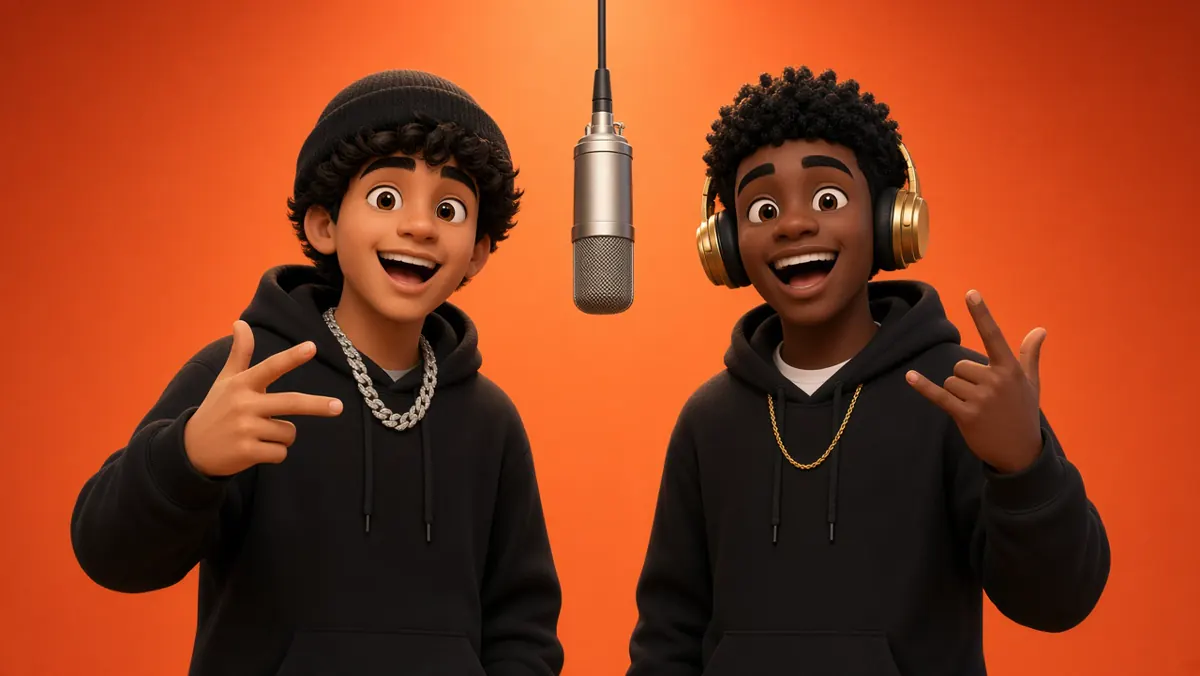
Start from the main studio: bring two portraits together, explore three stages, and choose a reference track or an original rap.
Explore this video
Make a performance for two friends or a couple. Choose who leads, or switch to an original rap and trade lines.
Explore this video
Recreate the orange-booth routine with two portraits, one hanging microphone, and a lead-and-hype performance.
Explore this video