
Example 1 · Costumed window dance
9:16 · 0:12
Put your photo into the warmly lit window: a night-time approach, a private dance, a caught-on-camera smile and a curtain ending. Upload one authorized adult photo to make a Window Dance AI video with Wan, using the supplied clips as the movement and scene reference.
1 photo · Wan 3.0 · 5–15s · 9:16 · Cost shown before generation
Video length · maximum 15 seconds
The motion and audio are prepared separately for each length. The original dance is shorter than 15 seconds, so longer outputs extend the performance rather than looping the source.
One photo and your permission confirmation are required. Sign in to generate.
Supplied Window Dance reference · not a verified output of this website
The same rules apply to every scene on this page — checked against the generator itself, so you can decide before uploading anything.
| Item | What you get |
|---|---|
| Input photo | One photo of one person — JPG, PNG or WebP, up to 10 MB. A clear, front-facing face works best. |
| AI model | Wan 3.0 reference-to-video: your photo plus the supplied trend reference clip. |
| Output file | MP4 video, vertical 9:16. |
| Video length | 5, 8, 10, 12, 15 seconds — you pick before generating. |
| Resolution | 480p, 720p or 1080p (480p is the default). |
| Sign-up | Not needed to watch any example on this page; a free account is required to generate. |
| Cost | Credits, quoted before you generate — see the per-second price table below. Watching examples is free. |
| Watermark | None is added: the generation prompt explicitly excludes captions, logos and watermarks. |
| Generation time | Usually five minutes or more; longer when the queue is busy. A technical failure returns the credits automatically. |
| Face fidelity | Requested, not guaranteed — check the face, hands and body proportions in the result before sharing it. |
| Sound | Scene sound is generated; rights to the original trend track are not granted, so add a licensed sound when posting. |
Window Dance AI centers on one adult dancing inside a lit room, seen from outside the window. For eating a burger, staring at the camera and closing a curtain, choose Window Peeper Filter. This distinction changes the routine, not just the page name.
Check the face during motion, limbs, window edges and the end of the curtain action. The supplied reference is a guide rather than an exact-result promise. Review sound on your finished MP4 before saving or sharing it.
Play the two supplied clips to see the outside-in camera approach and the dance inside the window. The first uses a costumed character; the second uses an everyday outfit. Your upload supplies a new dancer, while the second clip provides the movement reference and the right-hand preview.
9:16 · 0:12
A costumed character dances behind the warm window while the camera approaches from the dark exterior. This is a supplied trend variation for understanding the framing and energy. The generator is configured for your adult subject in their everyday outfit, rather than transferring this clown costume.
Use my photo as the dancer9:16 · 0:13
A person in a blue top dances near a small speaker, notices the camera and reacts within the window frame. Watch how the closer view makes both the face and arm movements readable. This second supplied clip is the source of the prepared motion and separate audio references.
Use my photo as the dancerBoth videos are owner-supplied trend references, not independently verified outputs of this website. Display copies are compressed and shorter than 15 seconds. Any original text, audio or marks belong to the source clip; their appearance is not an endorsement or a promise that Wan will reproduce the same result.
Sign in and use the single photo slot to choose a JPG, PNG or WebP up to 10 MB. Pick an adult whose face is visible in even light, without sunglasses or another face beside them. A head-and-torso photo with some clothing visible gives the model more information than a tightly cropped face. You do not have to photograph a real window: the prepared reference supplies the setting.
Try this step in the generatorChoose your window dancer
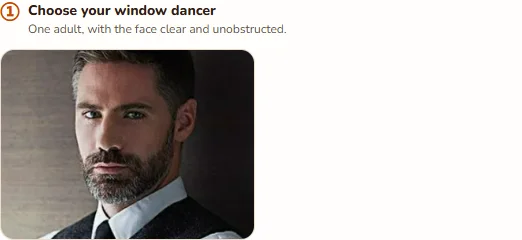 Enlarge interface screenshot
The model is already set to Wan 3.0 and the output is vertical 9:16. Choose 5, 8, 10, 12 or 15 seconds, plus 480p, 720p or 1080p. The initial setting is 12 seconds at 480p. Read the credit total before proceeding. When prepared reference audio is available, enable it only if you have permission to use that sound; turn it off when you prefer generated room audio or plan to add a platform track later.
Try this step in the generatorChoose your video settings
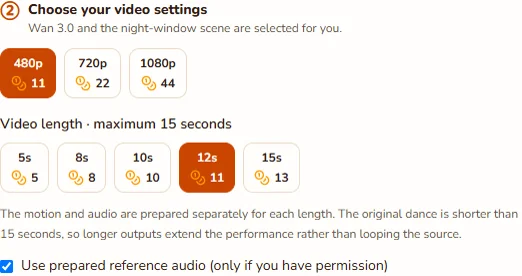 Enlarge interface screenshot
Confirm permission to animate the photo and press the generation button. Allow at least five minutes, with additional waiting possible during a busy queue. The progress display is centered in the preview and estimates overall progress. When your result is ready, watch the entire clip, including the moment the dancer notices the camera and the curtain closes. Download the MP4, then use the share controls to continue on your chosen platform.
Try this step in the generatorConfirm and create
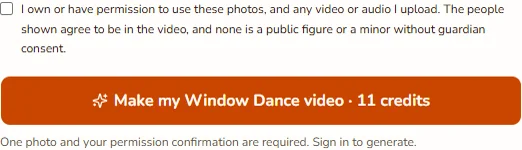 Enlarge interface screenshot
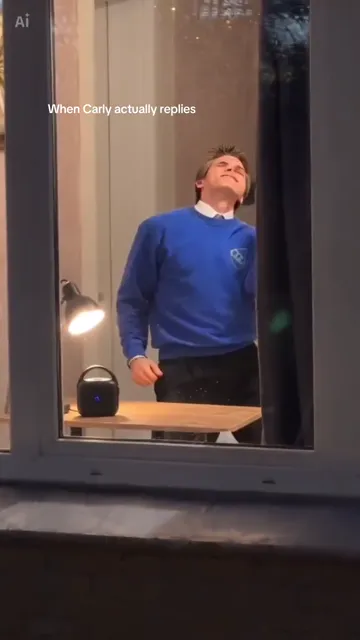
The scene begins at a dark apartment exterior and moves toward one warm, illuminated window. The camera stays outside, while the dancer bounces, swings their arms and moves their shoulders near a small speaker. Noticing the lens changes the performance: the person smiles, eases out of the dance and reaches for the curtain. That final gesture gives the short scene its own beginning, middle and end.
Window Dance is a different task from the Window Peeper eating-and-staring joke. This page asks for one adult dancing, not a burger meal or a two-person performance. The fixed reference handles the scene and broad movement; your photo supplies the intended subject. Wan may alter the approach, body motion or ending, and the shortest options have less room for every beat. A 15-second version extends beyond the original source duration.
Choose a sharp portrait with natural lighting and some upper-body detail. Avoid crowded backgrounds, strong filters, extreme side angles and images in which the face is hidden behind a phone. The model has to keep that subject recognizable as the camera approaches the window. A full-body photo is useful when available, but it does not guarantee perfect footwork or exact clothing in every frame.
Watch your result muted first so a catchy soundtrack does not distract from movement problems. Check whether the camera remains outside the glass, the window frame stays coherent and the dancer’s hands remain distinct from the curtain. Look for unwanted extra people or a speaker changing shape. Then listen to the sound and decide whether to keep it or add your own permitted track in an editor.
Twelve seconds is the default because it is close to the supplied dance reference. Longer output can leave more room for dancing before the ending, while five seconds may compress the approach and omit small gestures. If the curtain closes too early or the final smile is missing, review the selected duration and source expectations before generating again. Each new attempt is a fresh paid render, not a free edit of one section.
The table below uses the same current Wan calculation as this page’s generator and server, including its prepared motion reference. Changing resolution or length updates the cost before you start. Looking at examples is free; creating a personalized video requires sign-in and enough credits. There is no extra model selector to configure for this template.
| Lengths | 480p | 720p | 1080p |
|---|---|---|---|
| 5s | 5 | 10 | 19 |
| 8s | 8 | 15 | 30 |
| 10s | 10 | 19 | 37 |
| 12s | 11 | 22 | 44 |
| 15s | 13 | 26 | 52 |
A task deducts credits when it starts. Confirmed technical failures and cancellations return the charged credits through the task ledger. A completed video can still have imperfect identity, dance timing or curtain movement; that alone is not a failed task and another attempt costs credits. Use the pricing page for credit-pack prices, expiry and purchase refund conditions. Download results you want to keep rather than relying on permanent cloud availability.
See credit packs and purchase rulesIt is a photo-to-video scene in which the camera approaches a lit apartment window at night and finds a person dancing inside. The person notices the camera, smiles and closes the curtain. This page uses one adult photo plus prepared movement references to request that story from Wan.
Both use an exterior view of a warm window, but the main action is different. Window Dance centers on dancing beside a speaker, noticing the lens and ending with the curtain. The Window Peeper page centers on eating a burger, pausing and staring back. Choose the page by the action you want to generate.
One photo containing one adult. Use a clear, well-lit face and only material you own or have permission to animate. Group photos, two-person photos and pet photos are not the supported workflow for this page. You do not need an actual photo of your room or window.
Yes. Choose 5, 8, 10, 12 or 15 seconds; the default is 12. The supplied motion source lasts about 13 seconds, so the longest prepared reference uses 12.8 seconds and its audio is a little shorter. Shorter outputs use shorter references. References stay below 15 seconds, while output duration is a separate setting. A longer output asks Wan to continue the performance naturally.
Wan 3.0 reference-to-video is the only model here. Output is a vertical 9:16 MP4 at 480p, 720p or 1080p. The server selects the built-in motion and audio for the chosen duration, so you do not need to upload a video, prepare a prompt or choose a dance manually.
No. The previews are supplied reference clips and are not verified results from this website. Your photo guides the intended subject, but facial detail, clothes, body movement, camera timing and the curtain can vary. Review the complete result before sharing. The shortest duration may not include every action visible in the longer examples.
Expect at least five minutes and possibly longer with queue time. The progress percentage is estimated rather than a direct feed of frames being rendered. Confirmed technical failures and cancellations restore the charged credits. A completed result that you dislike is not automatically a technical failure; keep the task ID if you need support to investigate.
Prepared reference sound is optional when enabled, and generated audio may differ. Confirm music permissions separately from photo permissions. After reviewing the clip, download it or use a supported device share sheet; otherwise the controls help you open TikTok or X and attach the file yourself. You choose the caption, licensed sound and final publication. No automatic social posting is performed.
Use a consenting adult’s photo and label the result as AI-generated when sharing. The scene is fictional: do not present it as secretly recorded footage of someone at home. Personal uploads and task results use the same private storage and owner-access rules as the other generators, and are not added to the public gallery automatically. Source previews are labeled separately. Support and current privacy and service terms are available in the footer.
Start from the main studio: bring two portraits together, explore three stages, and choose a reference track or an original rap.
Explore this video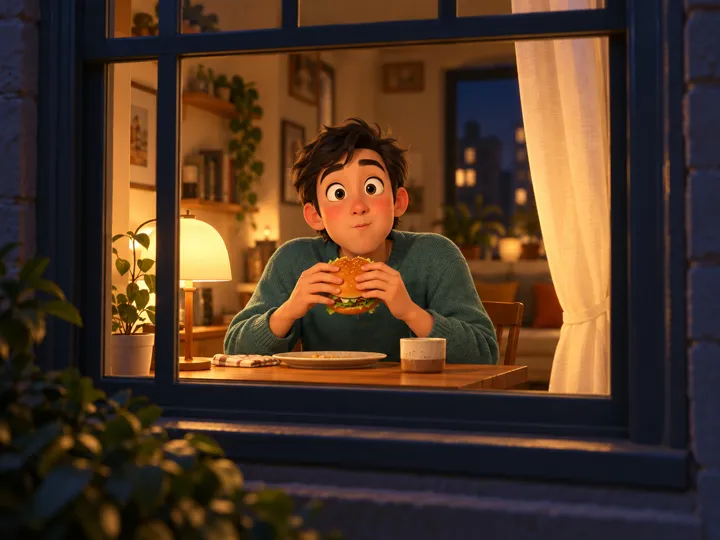
One photo, a burger, a surprised look and the curtain closing. Make a different short comedy scene.
Explore this video
Take the lead in a warm chandelier-party scene. One portrait, a silver cup, and a crowd reacting around you.
Explore this video