
How to Do a Christmas AI Dance Video With Two Photos
Make a Christmas AI dance video from two photos: the holiday duet trend explained, photo casting for Santa and elf hats, steps, costs and posting tips.
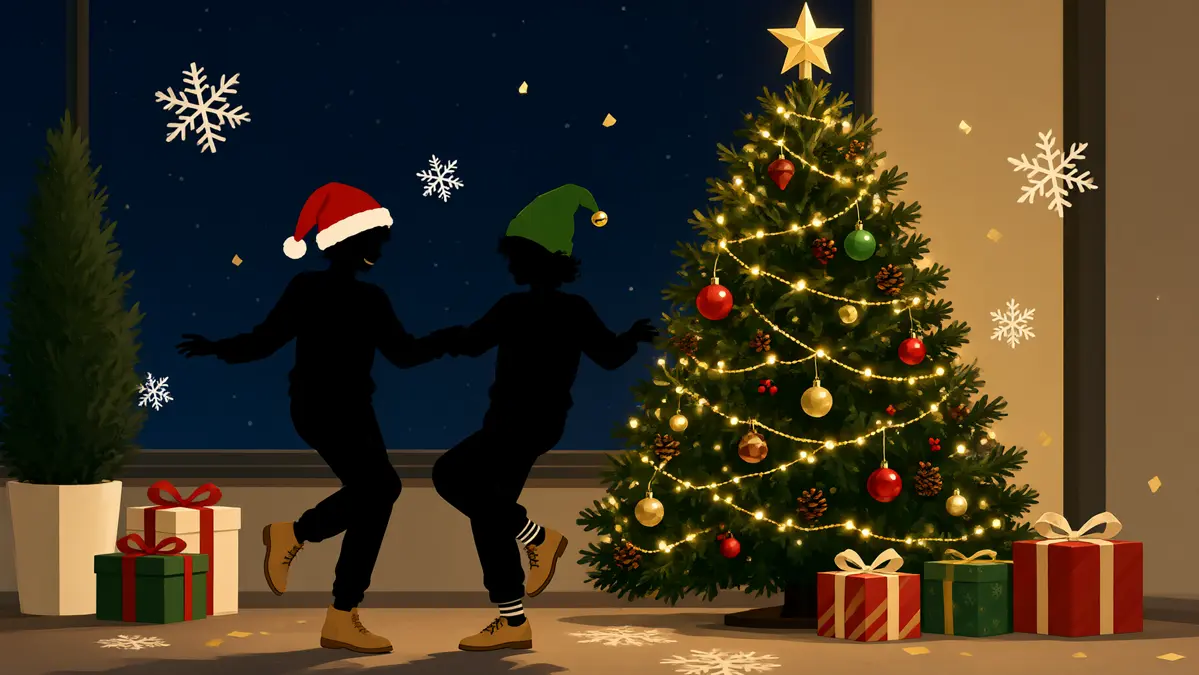
Yes — you can make a Christmas AI dance video with two photos. Upload one picture of each dancer, and the generator places them in front of a decorated tree in a cozy bedroom set: one dancer gets a Santa hat, the other an elf hat, and the pair performs a synchronized holiday dance as a vertical 9:16 MP4, 5 to 10 seconds long. No filming, no tree, no costumes — the holiday styling is generated.
This guide covers the trend, how to cast your two photos, the steps on the Christmas AI Dance page, costs, and posting tips. Looking for concepts instead? The Christmas AI dance video ideas roundup lists 25 pairings and captions.
What is the Christmas AI dance trend?
Every December, holiday dance content surges — and in 2026, AI made it a two-photo affair. Template tools started offering "AI elf dance" and Santa-hat effects that animate the people in your photos into festive duets, continuing a tradition older than AI: the Elf Yourself app has been turning photos into dancing elves every holiday season for years, and it reliably climbs the app charts each December. The AI-video generation simply gives the concept modern bodies, real dancing and better faces.
The two-photo structure matters: holiday content is couple-and-family content. The format's natural cast is you-and-someone — a partner, a sibling, a parent, a best friend — dancing together in matching holiday energy with contrasting hats.
One honest boundary: celebrity-face versions of these videos circulate widely in the trend's wild form, but this site's generator does not do that. The prompt explicitly excludes real famous people; both dancers come entirely from your own photos, and the Santa/elf hats are generated props rather than licensed merchandise.
What you need: two photos, cast by hat
- Photo A — the Santa. One person, clear front-facing face, JPG/PNG/WebP up to 10 MB. Any outfit works; the scene supplies the festive styling.
- Photo B — the elf. A second person, same photo rules. The elf hat lands here — pick someone whose energy suits the mischief.
- Permission for both. Holiday videos get shared to family group chats by default; make sure both dancers agreed to that.
Classic casts: couples ("our first holiday dance"), parent + kid (reversed sizes work great), grandparents as elves, siblings, or two pets' humans dancing for the pets. The general photo-selection rules in Best Photos for AI Rap Videos apply.
How to make your Christmas duet, step by step
- Preview free. Open the Christmas AI Dance generator and watch the examples — no account needed. You'll see the tree, the bedroom set, the hat assignments and the dance rhythm.
- Upload Photo A and Photo B. Each identity locks to its role, so the person in Photo A dances as the Santa-hat dancer.
- Choose the length — 5, 8 or 10 seconds. Ten seconds gives the full synchronized routine; five makes a punchy loop for stories.
- Pick 480p (default), 720p or 1080p and read the credit quote before generating. Watching examples is free; generating uses credits from one-time packs (see pricing).
- Generate, review, download. Five minutes or more. Check both faces, the hats and the hands; then download the MP4 — no watermark is added — and post with your caption.
How much does it cost?
The same pay-per-video model as every scene on this site: exact credits quoted before you generate, one-time packs, no subscription, free example watching without an account. Technical failures return credits automatically; a completed-but-imperfect result is charged. The watermark situation across the category — and why free tiers stamp exports — is covered in the no-watermark guide.
Timing: when to post Christmas content
Holiday search interest ramps from early-to-mid November, spikes in the first two weeks of December, and peaks around parties and Christmas Eve. Practical windows:
- Mid-November: early adopters and planners; less competition in feeds.
- Late November through mid-December: the volume zone — post duets here if you want reach.
- December 20–25: emotional peak; family-focused captions perform best.
- After Christmas: pivot to New Year or nostalgia framings ("the dance that carried us through").
Five posting tips
- The hats do the casting. Who's Santa and who's elf is a personality statement — the family chaos agent goes elf.
- Caption with the relationship. "My mom's first AI video" outperforms generic holiday captions; the duo is the story.
- Pair with a licensed holiday track. Rights to the original trend audio aren't granted; in-app seasonal tracks are plentiful in December.
- Check both faces and both hats. Two identities, two chances for drift — review before sharing to the family chat.
- Disclose AI content where the platform asks.
FAQ
Do I need Christmas photos or costumes?
No. Two ordinary photos are enough — the decorated tree, the cozy bedroom set and both hats are all generated for you automatically. Holiday sweaters in the source photos are a nice bonus, never a requirement.
Can I use one photo instead of two?
This scene is built as a duet with two locked roles. Single-photo scenes like the AI dunk, the street party or the ceiling fan transition exist for one person.
Can the dancers be celebrities?
No — the prompt explicitly excludes real famous people. Both dancers come from your own photos, with permission.
How long can the video be?
5, 8 or 10 seconds on this scene. The synchronized routine reads best at 8–10 seconds, with the full tree-to-dance reveal given room to breathe.
Where do I start?
Open the Christmas AI Dance page, watch the examples, cast your two photos. Need a concept first? Browse 25 Christmas AI dance video ideas or the main studio.