
How to Do the Ceiling Fan Transition With One Photo (AI)
Do the ceiling fan transition with one photo: the outfit-swap trend explained, how the AI version works, steps, costs, lengths and posting tips.
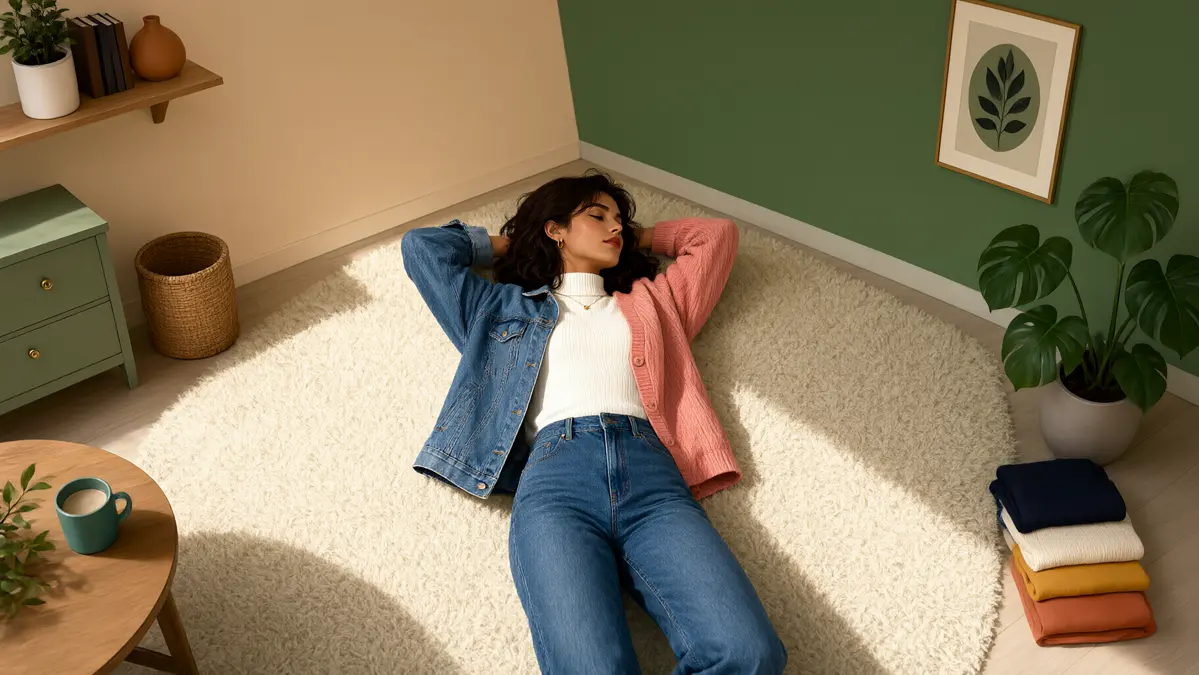
Yes — you can do the ceiling fan transition with one photo and no camera work at all. In the AI version of the trend, you upload a single photo of yourself lying down, and the generator produces the classic top-down shot: you on a rug, a ceiling fan blade sweeping across the frame, and each blade pass revealing a new outfit. The outfit in your photo becomes the starting look; the swaps are generated. The result is a vertical (9:16) MP4 up to 10 seconds long, ready for TikTok, Reels or Shorts.
This guide explains the trend, how the AI version differs from filming it yourself, the steps on the Ceiling Fan Transition AI page, and what it costs.
What is the ceiling fan transition?
The ceiling fan transition is an outfit-swap editing trick that went viral in two waves:
- The filmed version. Creators lie on a rug under a ceiling fan, film the top-down shot, and cut on each blade pass — swapping clothes between passes. It looks seamless because the blade literally wipes the frame like an editor's transition. Filming it needs a real fan, a wide-enough lens, a tripod (or a very steady friend), and several outfit changes.
- The AI version (2026). Video generators learned the pattern, and template tools appeared: upload photo(s), get the fan-wipe outfit swap. Competing implementations differ in what they ask for — some want a single photo, others (like LightX) ask for a photo plus up to four separate outfit reference images, and others generate around three preset looks. This site's Ceiling Fan Transition generator is the simplest variant: one photo is the only input.
Why the format works: it's a full outfit reveal in under ten seconds, the wipe feels magical every time, and it loops perfectly. Fashion creators use it for lookbooks; everyone else uses it for the sheer fun of instant costume changes.
How the AI version works from one photo
The mechanics, stated plainly:
- Your photo sets the starting look. The outfit in your picture is outfit #1 — the generator reads it and keeps it as the baseline appearance.
- The fan blade is the wipe. A generated blade sweeps across the top-down frame as a foreground element; behind each pass, the model reveals the next generated outfit (typically one or two swaps within a 5–10 second clip).
- Nobody spins, nothing touches you. The blade is a passive visual effect — the prompt explicitly forbids contact or any dangerous interaction.
- The scene is generated, not a real room: rug, layout and lighting come from the prepared reference that defines the trend's look.
Limits are the usual honest set: faces and hands are the trickiest parts of AI video, the lying-down pose is actually forgiving for faces, and identity is requested rather than guaranteed. Check the result before posting; a re-render is a new paid attempt.
Step by step: making your fan transition
- Pick your starting-outfit photo. One person, clear face, lying down or at least a pose that reads well from above — but any clear photo works, since the generator composes the top-down framing. The outfit in this photo is your look #1, so make it count (see the next section).
- Open the Ceiling Fan Transition AI page and watch the free examples — no account needed — to see the exact wipe rhythm and outfit-swap count.
- Upload the photo (JPG/PNG/WebP, up to 10 MB).
- Choose the length — 5, 8 or 10 seconds (maximum prepared motion is 9.9 seconds) — and the resolution: 480p default, or 720p/1080p. The credit quote for your exact combination is shown before you generate.
- Generate, review, download. Allow five minutes or more. Check the face (especially between wipes), then download the vertical 9:16 MP4 — no watermark is added — and post with your caption.
Choosing your starting outfit
The one photo you upload decides the first impression, and the swaps are surprises even to you. A few casting notes:
- High-contrast starting looks (bold color, clear silhouette) make the first wipe more dramatic.
- Simple backgrounds in the photo help the model read the outfit rather than the clutter.
- Theme it for the reveal: start in pajamas for a "getting ready in 10 seconds" bit, or in gym clothes for a glow-up reveal.
- If you want specific follow-up outfits rather than generated surprises, this site's single-photo version isn't the right tool — multi-outfit-reference competitors exist for that (at the cost of preparing several images first).
What does it cost and how long does it take?
- Cost: credits quoted up front for your exact length/resolution; one-time packs, no subscription. Watching every example is free without an account. A technical failure returns credits automatically; a finished-but-imperfect result is charged.
- Time: usually five minutes or more per render, longer when the queue is busy.
- Output: vertical 9:16 MP4 at 480p/720p/1080p, no watermark — the prompt excludes captions, logos and watermarks (more on why that matters: AI dance video without a watermark).
- Privacy: your photo and the finished video stay in private storage; nothing is added to a public gallery (see the privacy policy).
FAQ
Do I need a real ceiling fan?
No. The fan, the blade sweep and the top-down framing are all generated. You need exactly one photo.
Can I choose what outfits it swaps into?
Not on this site's version — the follow-up outfits are generated surprises, with your photo's outfit as the starting look. Competitors that take multiple outfit reference images exist if you need exact control, at the cost of preparing those images.
How many outfit changes fit in one video?
Typically one to two swaps within the 5–10 second clip — the wipe rhythm sets the pace.
Why is the longest option 10 seconds?
The prepared reference motion runs to 9.9 seconds; longer outputs would mean stretching or faking the source, which this site doesn't do. Short loops suit the format anyway.
Is it safe? Nothing touches me?
Correct — the blade is a passive foreground effect and the prompt explicitly forbids contact or dangerous interaction. It's a visual wipe, not a physical gag.
Where do I start?
Open the Ceiling Fan Transition AI page, watch the examples, and upload your starting-outfit photo. For the broader category — costs, tools, honest limits — start with How to Make an AI Dance Video From a Photo or browse the main studio.