
How to Do the I Love The Smiths AI Trend With Two Photos
Put two photos into the I Love The Smiths AI trend: the elevator meet-cute explained, photo casting, steps, costs, lengths and posting tips.
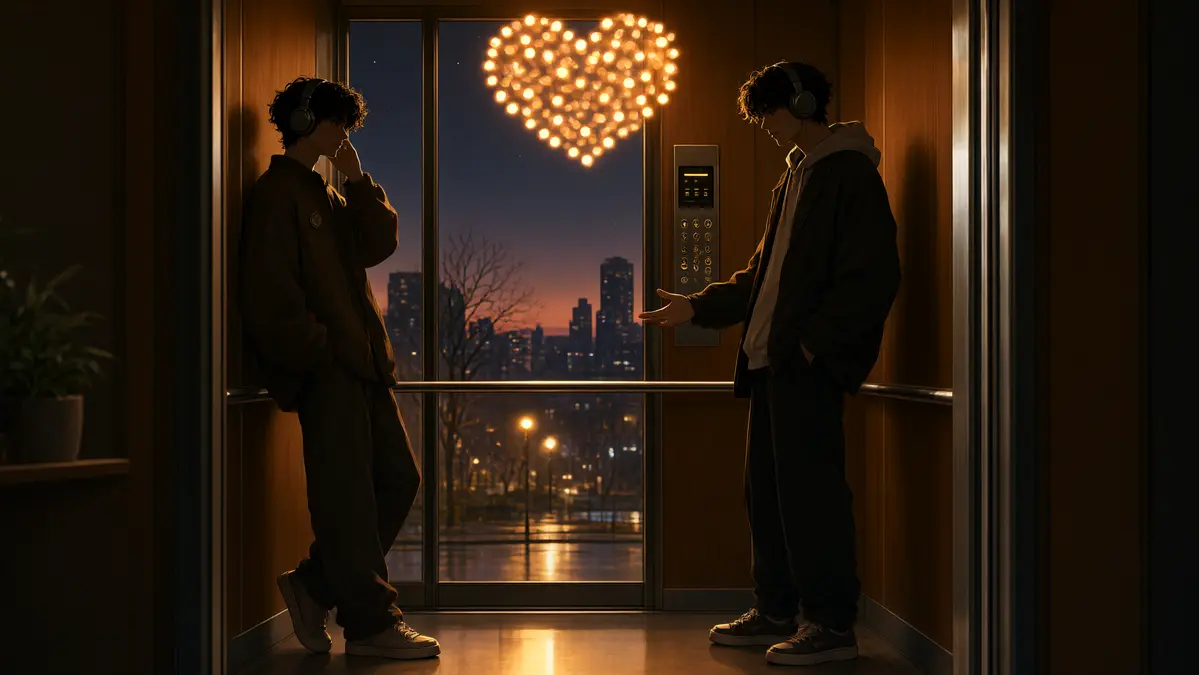
Yes — you can do the I Love The Smiths AI trend with two photos. The format recreates the elevator meet-cute popularized by the 2009 film (500) Days of Summer: one person stands in a wood-panel elevator adjusting their headphones, the other leans over to say the fateful line, and the doors close on the moment. Upload two photos — one for each role — and a reference-to-video generator turns them into that scene as a horizontal (16:9) MP4 up to 15 seconds long.
This guide covers what the trend is, how to cast your two photos, the exact steps on the I Love The Smiths AI page, costs, and posting tips.
What is the I Love The Smiths trend?
The trend borrows one of indie cinema's most-quoted meet-cutes: boy in elevator with headphones, girl notices what he's listening to, says she loves the band too — instant connection, doors close. In 2026 the format came to AI video: template tools let you drop two people into the wood-panel elevator scene and get the same warm, nostalgic beat without filming anything.
The AI wave is brand new — most competing template pages went live within a day of each other, and every major one (MakeViral, Kapwing, Summrs and others) uses the same two-photo structure: left person wears the headphones, right person delivers the line. This site's I Love The Smiths generator follows that structure, with one important boundary baked in: the scene is an original recreation inspired by the moment, and the generation prompt explicitly forbids reproducing any real person, celebrity, the film scene or its dialogue. Both characters come entirely from your photos — it is not an official template, artist or film endorsement.
What you need: two photos, cast correctly
The trend lives or dies on casting. You need:
- Photo A — the listener (elevator left side): one person with a clear, front-facing face. Headphones in the photo are a bonus but not required — the scene supplies the moment.
- Photo B — the talker (right side): a second person, also clear and front-facing. This is the one who leans in with the line.
- Permission for both. Only use photos of people who agreed to be in your video — friends, couples, family members. Children's photos require parent or guardian consent.
Classic pairings that work: you and your crush, two best friends, a couple re-enacting "how we met", or a parent and their teen (reversed roles get extra laughs). For a two-person rap or performance format instead of the meet-cute, the AI rap duo studio is the better tool.
Both photos: JPG, PNG or WebP, up to 10 MB each, one person per photo, sharp faces. The photo-choice rules in Best Photos for AI Rap Videos apply here too.
How to make your I Love The Smiths video, step by step
- Preview the scene free. Open the I Love The Smiths AI page and watch the examples — no account needed. You'll see the elevator setting, the two role positions and the closing-door ending.
- Upload Photo A, then Photo B. Assign the listener and the talker; the generator locks each identity to its role, so the person in Photo A is the one adjusting headphones.
- Choose the length — 5, 8, 10, 12 or 15 seconds (maximum prepared motion is 14.9 seconds). The meet-cute reads best at 10–15 seconds: enough time for the lean-in and the door close.
- Pick 480p (default), 720p or 1080p and read the credit quote shown before generating. Watching examples is free; generation costs credits from one-time packs (see pricing) — no subscription.
- Generate, review, download. Allow at least five minutes, longer when busy. Check both faces and hands, then download the horizontal 16:9 MP4 — no watermark is added — and post it.
How much does it cost?
The same pay-per-video model as every scene on this site: the exact credit cost for your length/resolution combination is displayed before you generate, credits come as one-time packs, and nothing renews automatically. A technical failure returns the charged credits; a completed video you dislike is charged, and a re-render is a new paid attempt. Free example watching needs no account.
For context, the wider AI dance-video category splits into weekly subscription apps ($4.99–$12.99 per week in user reports), free tiers that watermark exports, and pay-per-video tools with upfront quotes — the trade-offs are compared in the general guide, and the watermark question specifically in the no-watermark guide.
Five posting tips
- The caption does the setup. "He thought nobody noticed his playlist" — the nostalgia carries itself; you don't need to explain the film.
- Use a licensed sound. Rights to The Smiths' music are not granted with your video; attach an available track in-app. The generated scene sound is its own audio.
- Disclose AI content where the platform asks for it.
- Mind the pairing. The format implies a crush-or-connection dynamic — cast accordingly, and only with both people's consent.
- Check both faces. Two identities means two chances for drift; review before posting and re-render with sharper photos if either face slips.
FAQ
Do I need a photo of the elevator or the movie scene?
No. The wood-panel elevator setting is generated from a prepared reference. Your photos only provide the two people.
Is this affiliated with The Smiths or the film?
No. It's an original AI recreation of a meet-cute moment — the prompt explicitly excludes real people, the film scene and its dialogue, and the page states clearly that it is not an artist, band or film endorsement.
Why two photos instead of one?
The scene has two distinct roles — listener and talker — and each identity comes from its own photo. Competing templates use the same two-photo structure. Single-photo scenes like the ceiling fan transition or the street party exist if you only have one picture.
How long can the video be?
5 to 15 seconds on this scene — one of the few 16:9 horizontal formats here, which suits the elevator framing and desktop feeds.
Where do I start?
Open the I Love The Smiths AI page, watch the free examples, and cast your two photos. New to AI trend videos? The general photo-to-video guide walks through costs, limits and every scene option, or browse the main studio.