
How to Make a 24k Magic AI Dance Video From a Photo
Turn one photo into a 24k Magic AI dance video: the yacht-deck trend, exact steps, costs, lengths, honest limits and what to check before posting.
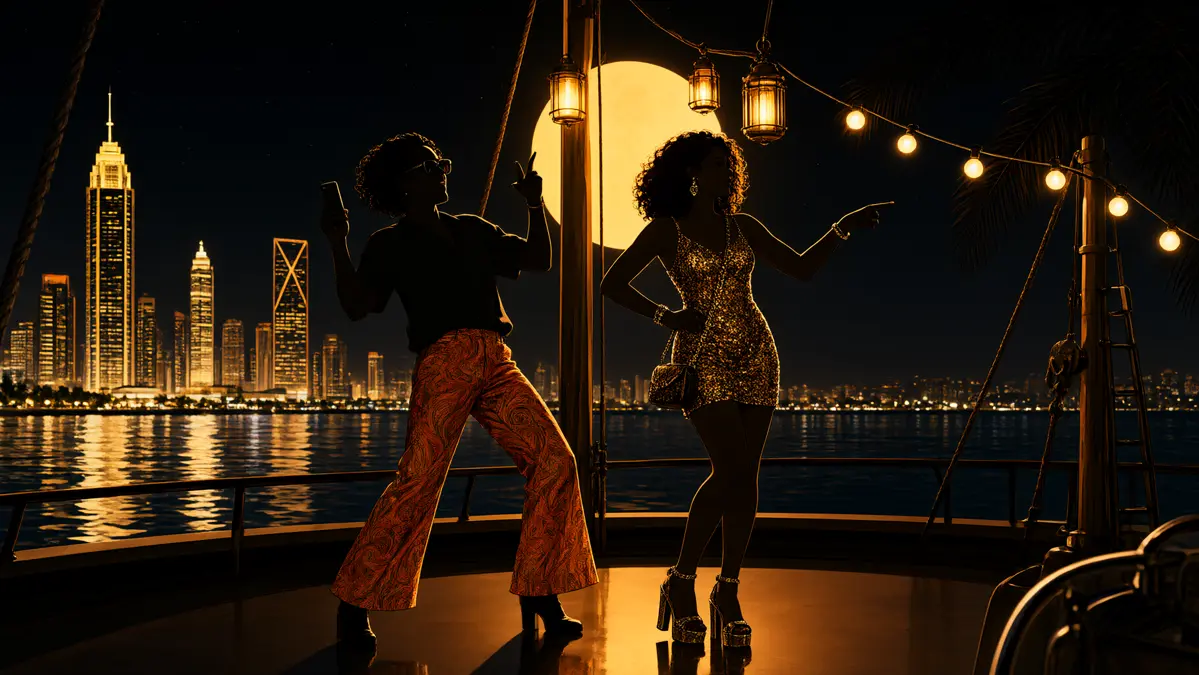
Yes — you can make a 24k Magic style AI dance video from one photo. The trend format: your subject (or you and a friend) grooving on a yacht deck at night, gold party lights everywhere, moving with the laid-back confidence the song made famous. A reference-to-video generator turns a single still photo into that clip — vertical 9:16 MP4, no watermark, ready for TikTok or Reels.
This guide explains how to make yours on the 24k Magic AI Dance page, what it costs, and the honest limits of AI dance video.
What is the 24k Magic AI dance trend?
The trend borrows the vibe of Bruno Mars' "24K Magic" — yacht decks, gold lighting, sharp-but-relaxed moves — and lets anyone insert themselves (or a friend, a parent, a pet-owner duo) into that scene using AI video generation. It belongs to the 2026 wave of "photo becomes music-video" formats: you don't film anything, you upload one photo and pick a prepared scene.
Search for "24k magic AI dance" today and you'll find several exact-match template sites (24kmagicai-style domains) offering thin one-page generators. The scene on this site differs in two ways worth knowing before you pick a tool: the full workflow shows per-second credit pricing before you pay anything, and the page documents exactly what the model can and cannot guarantee — instead of promising "perfect results every time".
How to make your 24k Magic dance video
Five steps on the 24k Magic AI Dance generator:
- Watch the free examples first. No account needed. The examples show the deck setting, the move style and the framing you'll get.
- Upload one photo — JPG, PNG or WebP, up to 10 MB, one person with a clear front-facing face. The generator keeps your subject's own face and outfit; the reference supplies the choreography and the yacht-deck scene.
- Choose the length: 5, 8 or 10 seconds. Short cuts keep the groove tightest — at 10 seconds the model has more room to drift from the beat, so 5–8s is the sweet spot for this scene.
- Pick 480p (default), 720p or 1080p and read the credit quote shown before generating. Watching examples is free; generation uses credits from one-time packs — no subscription (details on pricing).
- Generate, review, download. Allow at least five minutes, longer at busy times. Check the face, hands and body proportions in the result; then download the MP4 and post with your caption.
What does it cost?
There is no subscription and no free-with-watermark tier on this site. You pay per video with credits:
- The quote for your exact length + resolution is displayed before you generate.
- Credits come as one-time packs; nothing renews automatically.
- A technical failure or cancellation returns the charged credits automatically.
- A completed video you dislike is charged, and another render is a new paid attempt — stated plainly, because that's how GPU rendering works.
For context: user reports on Reddit about mainstream dance apps commonly cite $4.99–$12.99 per week subscriptions with credits that run out quickly, or free tiers that stamp watermarks on exports. Pay-per-video pricing only makes sense with upfront quotes — which is why the generator shows yours before you commit.
Can two people dance together?
On this scene, one photo of one person is the input — the deck scene features your subject as the lead. If you want a two-person groove, the main AI rap duo studio takes two photos and casts a lead plus a hype partner; several other scenes also support pairs. The 24k Magic format itself is famously a crew format, so pairing tools exist for exactly that energy.
What are the honest limits?
Every AI dance tool shares the same constraints; pretending otherwise is how tools burn trust:
- Face fidelity is requested, not guaranteed. The prompt asks the model to keep identity, age, build and outfit from your photo, but AI video can drift. Use a sharp, front-facing photo; check the output.
- Hands are the hardest part. Gold-light night scenes are forgiving, but look at the hands before posting.
- The audio is not the song. Rights to the original track are not granted with your video. The scene generates its own sound; when posting, add a platform-licensed track — which is also how the trend clips you've seen get their punch.
- A re-render is a new attempt. Same as every serious generator.
Five posting tips
- Use the licensed sound. The meme lives on the beat — attach an available track in-app rather than relying on generated audio.
- Gold lighting is your friend. If your first render feels off, night scenes hide more imperfections than daylight scenes; re-rendering at the same settings is often enough.
- Caption the confidence. "He's been rehearsing in the mirror since 2016" does more than describing the AI.
- Disclose AI content where the platform requires it.
- Only use photos you have permission to use — required by the terms, and basic respect for the person in the photo.
FAQ
Is this affiliated with Bruno Mars?
No. It's an independent AI choreography recreation in a yacht-deck party setting — not the artist's music, likeness or endorsement. Use platform-licensed sound for the actual track.
How long can the video be?
5, 8 or 10 seconds on this scene. Trend clips perform best short; 5–8 seconds keeps the motion tightest.
Do I need a dancing video for reference?
No. The choreography comes from a prepared reference clip on the server side. Your only inputs are the photo, length and resolution.
Will my face look exactly like the photo?
Close, not identical — identity is requested but not guaranteed. The clearest photos produce the closest matches; always review the face and hands before posting.
Where do I start?
Open the 24k Magic AI Dance page, watch the examples, upload your photo. New to AI dance videos generally? Start with How to Make an AI Dance Video From a Photo — or browse the main studio for every scene.