
How to Do the Somebody That I Used to Know AI Trend
Two photos, one square video: the Gotye body-paint duet AI trend explained — casting the two roles, steps, costs, and the art style behind the meme.
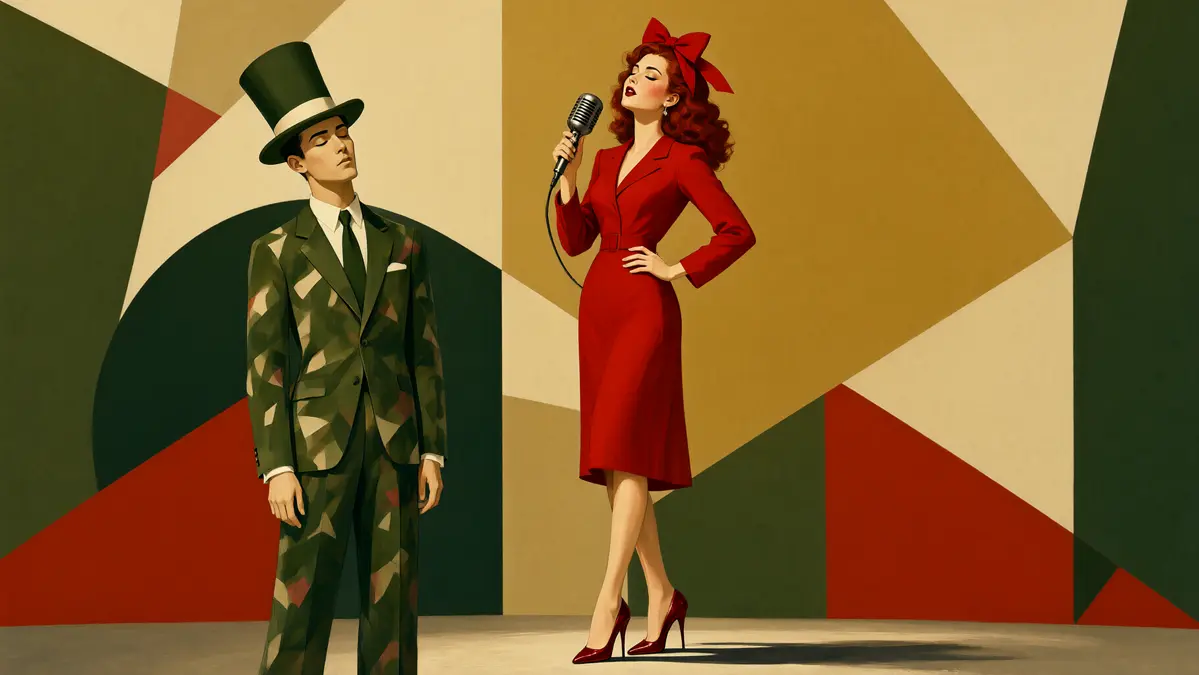
Yes — you can do the Somebody That I Used to Know AI trend with two photos. The format recreates the iconic body-paint duet from Gotye's 2011 video: two figures against a geometric patterned wall, painted in the same pattern so they melt into the backdrop — one performs the big exit, the other delivers the long, cooling final note. Upload two photos and the generator renders the whole scene as a square 1:1 MP4, 5 to 15 seconds long — a shape almost no other AI scene offers, and a big part of why this trend looks so striking in a feed.
This guide covers the art style, how to cast your two roles, the steps on the Somebody That I Used to Know AI page, and the honest boundaries of the recreation.
What is the Somebody That I Used to Know trend?
The source is one of the most-recognized music videos of the 2010s: two nude-painted figures against a polygonal wall pattern, gradually painted into the pattern until they read as cutouts of the background. The AI-video wave of 2026 learned the aesthetic — geometric body-paint camouflage on a matching patterned set — and turned it into a two-photo template format.
The scene's structure mirrors the video's: the first figure laughs and backs out of frame; the second holds a long side-profile note that cools as the light does. The drama is the format — no dance, just two people and one very stylish exit.
Two boundaries this site keeps, stated plainly:
- No real people. The prompt explicitly excludes the actual singers, actors and a shot-by-shot recreation of the official video. Both figures come entirely from your two photos — it's the art style being recreated (geometric paint, matched wall), not the artists or the video itself.
- Song rights are separate from photo rights. Your generated video comes with its own scene audio, not the song — rights to the track are not granted. Attach a licensed or platform-available sound when posting, the same as any trend clip.
The 1:1 square: why it matters
Almost every AI trend scene is vertical 9:16. This one renders square — the original video's framing, and a deliberate look:
- Square sits centered and large in feed previews on both TikTok and Instagram.
- The symmetric geometric set reads best without tall crop margins.
- It differentiates instantly: in a feed of vertical clips, the square is the thumb-stopper.
Casting your two photos
The scene has two distinct roles, so casting decides the joke:
- Photo A — the exiter. The one who laughs and backs away. Cast the friend who always leaves the party without saying goodbye, the sibling who exits arguments, the partner who "was just going to the store".
- Photo B — the note-holder. The long-suffering final note. Cast accordingly — deadpan friends and patient partners are born for this.
Both photos: one person each, clear front-facing face, JPG/PNG/WebP up to 10 MB, permission secured. The classic casting is a couple, two exes (with genuinely good humor about it), or two friends replaying their group-chat dynamics. For a rap-battle format instead of a breakup ballad, the duo studio is the different tool.
Step by step: making your duet
- Preview free. Open the Somebody That I Used to Know AI generator and watch the example — no account needed. Note the exit beat, the held note and the cooling light.
- Upload Photo A and Photo B. Roles lock to photos: A exits, B holds the note.
- Choose the length — 5, 8, 10, 12 or 15 seconds. The full arc (laugh, exit, long note) wants 12–15 seconds; the source motion is capped at 14.9 seconds.
- Pick 480p (default), 720p or 1080p and read the credit quote shown before generating. Watching examples is free; credits are one-time packs (see pricing).
- Generate, review, download. Allow five minutes or more. Check both faces (the side-profile note is the riskiest render), then download the square MP4 — no watermark — and post with your caption.
How much does it cost?
Pay-per-video, quoted up front for your exact length/resolution; one-time packs, no subscription; free example watching without an account. Technical failures return credits automatically; a finished-but-imperfect result is charged, and a re-render is a new paid attempt. Category trade-offs (subscriptions, watermarks) are compared in the general guide and the no-watermark guide.
Five posting tips
- Cast for the exit. The laugh-and-leave is the meme's engine; your funniest exit-er is Photo A.
- Caption the relationship, not the song. "When he says he'll text" — the trend frame does the rest. Don't quote lyrics you don't have rights to.
- Use licensed sound. Attach an available track in-app; the generated scene audio is its own.
- Mind the square. The 1:1 crop previews larger — make sure both faces read at thumbnail size.
- Disclose AI content where the platform expects it.
FAQ
Is this the official Gotye video or song?
No. It's an original AI scene that recreates the art style — geometric body-paint camouflage on a matching wall — with your two photos. The prompt excludes the real artists, the official video's shots and its dialogue; song rights are not included.
Why is the video square?
1:1 matches the original video's framing and stands out in vertical feeds. It's the only square scene on this site.
Do I need photos in costume or body paint?
No — two ordinary photos. The paint, the pattern and the wall are generated.
How long can the video be?
5 to 15 seconds; the full exit-plus-note arc fits in 12–15 seconds.
Where do I start?
Open the Somebody That I Used to Know AI page, watch the free example, cast your two photos. New to two-photo AI trends? The I Love The Smiths guide covers the other classic duet format, or browse the main studio.