
What Is the Flamingo Float AI Trend? (2026 Guide)
The flamingo float AI trend explained: the rooftop-pool clip format, where it started, how the videos are made, and how to make yours from one photo.
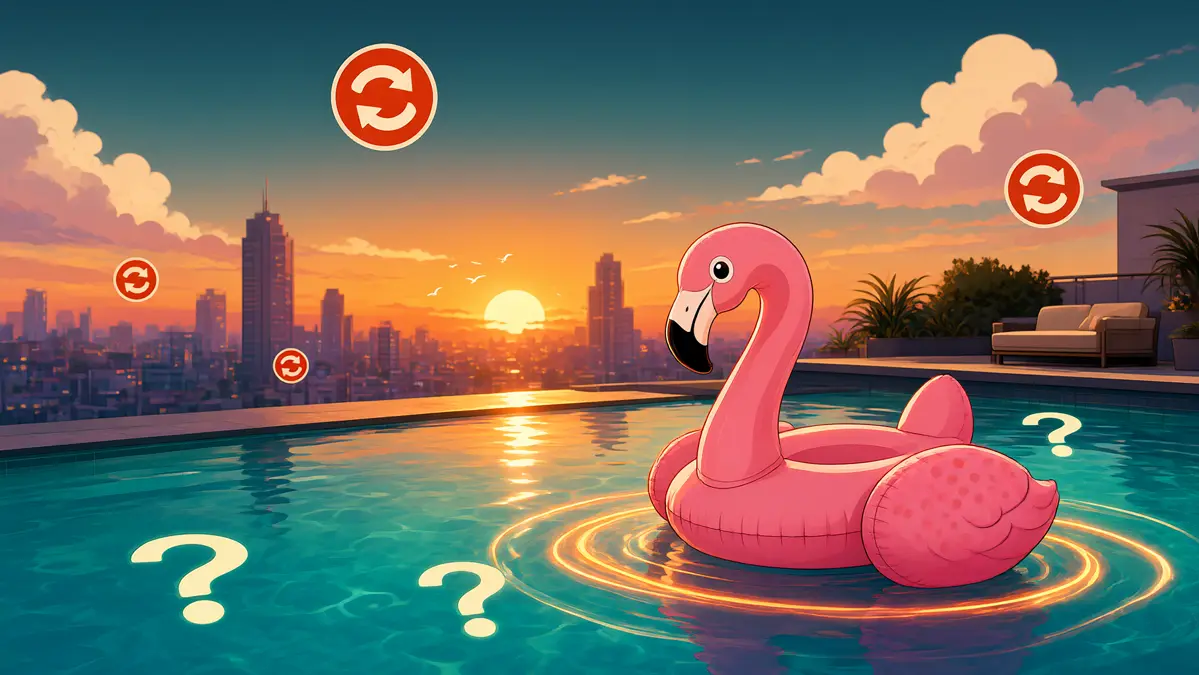
The flamingo float AI trend is a viral video format where a person appears drifting on a pink flamingo inflatable in a rooftop infinity pool — skyline behind, water rippling, complete vacation serenity — generated entirely from a single still photo. It belongs to the 2026 wave of "unexpected luxury" AI clips: no dancing, no performance, just your subject lounging somewhere aspirational that they (probably) have never been.
This guide explains what the format looks like, where it started, how the videos are made, and how to make your own. For step-by-step instructions, see How to Make a Flamingo Float AI Video.
What does a flamingo float AI video look like?
Picture the most relaxed vacation post you've ever seen, then make it slightly impossible:
- Your subject — face and outfit from the photo you upload — lies back on a bright pink flamingo float.
- The setting is a rooftop infinity pool with a city skyline, usually shot in golden-hour light.
- The motion is gentle: bobbing on ripples, slow drift, maybe a lazy hand trailing in the water.
- The clip runs 5–10 seconds in vertical 9:16 format — short enough to loop seamlessly in a feed.
The calm is the point. Where dance trends reward performance, the float format rewards vibes: the subject does nothing, and the scene does everything. That's also why it works for people who "can't" be in trend videos — camera-shy friends, grandparents, or the friend who refuses to dance at parties.
Where did the flamingo float trend start?
The format spread through 2026 alongside other pool-and-vacation AI clips. A few observable facts about how it grew (and what remains uncertain):
- Template pages appeared fast. Several AI-video template sites now ship a dedicated "flamingo float" template — upload one photo, get the float clip. Search interest lands directly on these tool pages, while almost no explanatory content existed for the trend itself (this guide and our how-to article were written to fill exactly that gap).
- An audio meme rode along. Some versions of the format circulate paired with the "Hey Bro, Thank You Bro" audio meme; based on template-site listings, the sound and the float scene often travel together (this pairing is an observation from those listings, not a verified origin story — the true first post is hard to pin down).
- TikTok's discover page consolidated it. The
pool-float-trendtag aggregates millions of views across float variants, which keeps feeding the format new audiences.
How is a flamingo float video made?
All current tools follow the same pipeline, whether they call it a template or a generator:
- You upload one photo of one person (on this site: JPG, PNG or WebP, up to 10 MB, clear front-facing face).
- A reference-to-video model — this site uses Wan 3.0 — combines your photo with a prepared pool-float reference clip that defines the scene, framing and float motion.
- The model renders a short MP4: your subject's identity cues applied to the drifting scene. Output on this site is 5, 8 or 10 seconds at 480p/720p/1080p, vertical 9:16, with no watermark added.
The float scene is technically gentle: slow motion means fewer chances for the model to mangle hands or faces compared with dance choreography. Water reflections are where it can still slip, so review the result before posting.
Why does this trend work so well?
Four reasons the format keeps pulling views:
- Zero performance barrier. The subject doesn't dance, act or react. One photo of almost anyone works.
- Universal fantasy. "Somewhere beautiful, doing absolutely nothing" is the most shareable mood on the internet.
- Caption flexibility. The same clip supports "POV: you said one more drink won't hurt", out-of-office jokes, retirement announcements or family-group-chat humor.
- Loopability. Gentle 5–8 second motion loops almost invisibly, which platforms read as watch time.
How do you make yours from one photo?
The quick version — the full flamingo float guide has details, costs and posting tips:
- Choose a photo of one person with a clear face; casual summer clothing matches the scene best (the model keeps your subject's own outfit — it doesn't invent swimwear).
- Open the Flamingo Float AI generator, preview the free examples, then upload the photo.
- Pick 5, 8 or 10 seconds and a resolution; the credit quote is shown before you generate.
- After about five minutes or more, review face and hands, download the MP4 and post with your caption.
Not sure the float scene fits your subject? The general AI dance video guide compares every scene type, or browse the main studio for the full menu.
FAQ
Is the pool in these videos a real place?
No. The rooftop infinity pool and skyline are generated scenery — a fictional composite, not a named resort. Nobody's actual vacation footage is used.
Do I need a photo in a swimsuit?
No. The model reads identity and outfit from your everyday photo and places that person on the float exactly as they are — the generated vacation scene supplies all the atmosphere your photo doesn't need to.
Can two people float together on one flamingo?
Not in this scene — it's built for one subject. For pairs, the 24k Magic dance scene or the two-photo studio are the right tools.
Is the flamingo float trend free to join?
Watching examples on this site is free without an account; generating costs credits shown up front (one-time packs, no subscription — see pricing). Free template apps exist elsewhere, often with watermarks or subscriptions.
Where do I start?
Open the Flamingo Float AI page, watch the examples, upload your photo — or read how the trend works step by step first.