
How to Do the Wassup In A Minute AI Trend With Three Photos
The trio AI dance with three photos: the Wassup In A Minute trend explained, three-role casting, steps, costs and the square-set staging that makes it work.
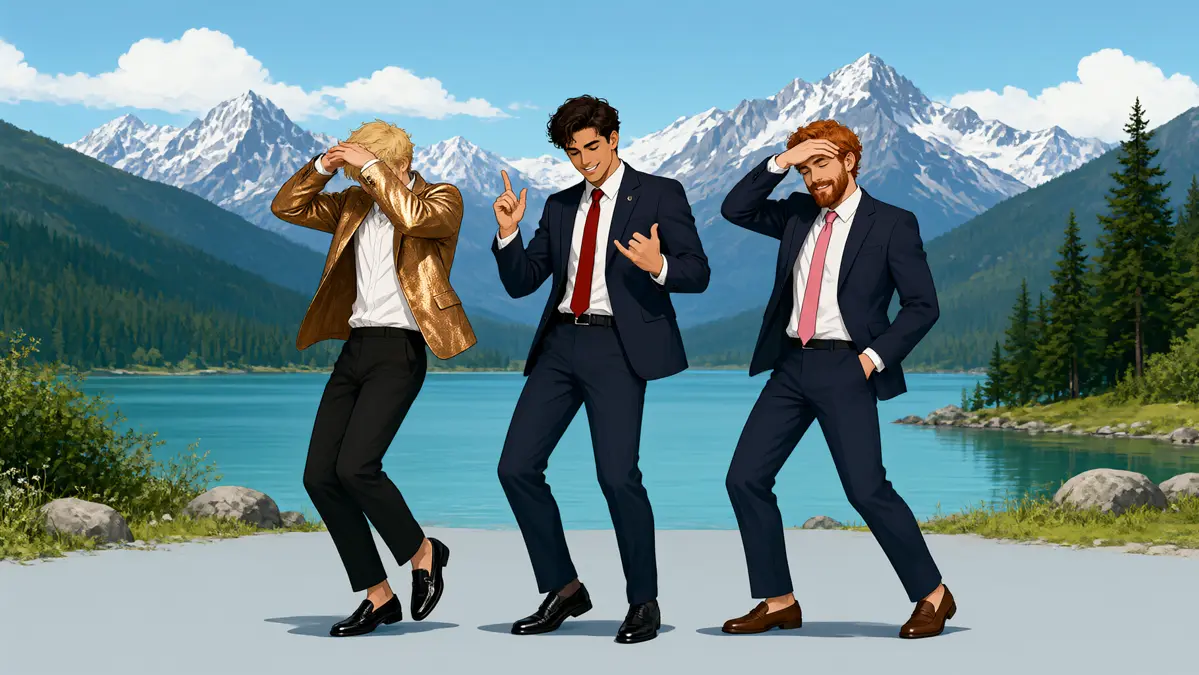
Yes — you can do the Wassup In A Minute AI trend with three photos. This site's first three-person scene takes one picture of each dancer and stages the full trio routine in front of a calm mountain lake: hands-on-head beat, middle finger-dance, and the three-across arms-wide sidestep — rendered as a horizontal 16:9 MP4, 5 to 15 seconds long. Three friends, one lake, zero filming.
This guide covers the trend, how to cast your three roles, the steps on the Wassup In A Minute AI page, costs, and the boundaries around the format.
What is the Wassup In A Minute trend?
The trend rides a jersey-club remix of a mellow 2010s track — a sped-up beat that turned three friends' synchronized goofing (hands on head, deadpan face close-ups, a walk-up) into a viral format, with AI versions now spreading across generator tools within days of each other. Some AI variants restyle the trio into anime or hand-drawn looks; this site's version keeps your friends as your friends — each dancer's identity comes from the photo you upload, staged in the trend's signature setting.
The format's engine: three is a crew, two is a couple, one is a solo. Three people doing the same simple beat reads as a boy-band choreography bit — the jokes scale with the headcount, and the coordination (impossible to film casually with three friends in real life) is exactly what AI makes trivial.
Why this scene is different: three photos, one square-set stage
Most scenes on this site take one or two photos. This one takes three — one per dancer — and stages them across a lakeside mountain backdrop in a horizontal 16:9 frame (the trio needs the width; vertical crops would cut the formation).
The three signature beats, in order:
- Hands on head — the synchronized shock pose.
- The middle finger-dance — quick, playful hand work (the beat where AI hands need a review before posting).
- Three-across, arms wide — the closing sidestep that sells the formation.
The prepared reference runs to 13.9 seconds, so the top length option is slightly under the 15 seconds other scenes offer — an honest cap rather than a stretched source.
Casting your three photos
Three roles, and the middle slot is the spotlight:
- Photo A — left dancer. One person, clear front-facing face, JPG/PNG/WebP up to 10 MB.
- Photo B — middle dancer. The finger-dance beat centers here; cast your most expressive friend.
- Photo C — right dancer. Completes the formation; the arms-wide close is shared equally.
Classic casts: the friend group that never films dancing videos (now it can), siblings minus one, coworkers doing the team offsite bit, or a family trio — parent plus two kids works beautifully. Note the cast constraint: three separate photos of three different people, each with permission. For a two-person version of crew energy, the body-paint duet or the Christmas duet are the pairs.
Step by step: making your trio video
- Preview the scene free. Open the Wassup In A Minute AI generator and watch the examples — the lake staging, the three beats, the formation close.
- Upload all three photos. Each identity locks to its position in the formation.
- Choose the length — 5, 8, 10, 12 or 15 seconds (topping out at the 13.9-second prepared reference). The full three-beat routine wants 10+ seconds.
- Pick 480p (default), 720p or 1080p and read the credit quote for your exact combination before generating.
- Generate, review, download. Allow five minutes or more — three identities is the heaviest render in the family. Check all three faces, then the middle dancer's hands, then download the watermark-free MP4 and post.
How much does it cost?
Pay-per-video, quoted up front; one-time credit packs, no subscription; free example watching without an account. Technical failures return credits automatically; a finished-but-imperfect result is charged, and a re-render is a new paid attempt. Three-photo scenes quote higher than single-photo ones (more identity work per frame) — the exact number appears before you commit, as with every scene. The category's pricing trade-offs are compared in the general guide.
Five posting tips
- Caption names the crew. Tag all three — the trio's group chat is the natural distribution network.
- The middle dancer is the thumbnail. Choose the photo for that slot with thumbnail framing in mind.
- Use licensed sound. The remix vibe travels via in-app tracks; the generated audio is its own.
- Check the middle beat. Pause on the finger-dance section — if the hands read clean, post.
- Disclose AI content where the platform expects it.
FAQ
Is this the actual song or the original trio?
No — the scene stages an original trio routine inspired by the format; no real artist is imitated or named, and no branded watermark or logo from source clips is reproduced. Song rights aren't included; attach a platform sound.
Why only three people?
Three is the format — the formation IS the joke. Two-person alternatives exist (the duets above); there's no four-person scene.
Do all three people need to agree?
Yes — three faces in a dancing video means three permissions. It's the site's terms, and it keeps the group chat fun.
Why does the longest option stop short of 15 seconds?
The prepared reference runs 13.9 seconds; the scene caps at its real source length rather than stretching it — the same honesty rule every scene here follows.
Where do I start?
Open the Wassup In A Minute AI page, watch the examples, collect your three photos. Two-person formats: the elevator meet-cute or the festival walkout plus a plus-one, or browse the main studio.