
How to Make a Christmas Lights Wife AI Video (2 Photos)
Two photos become a holiday surprise moment among the lights: what the scene is, photo casting, steps, costs, lengths — with honest notes on how the scene is defined.
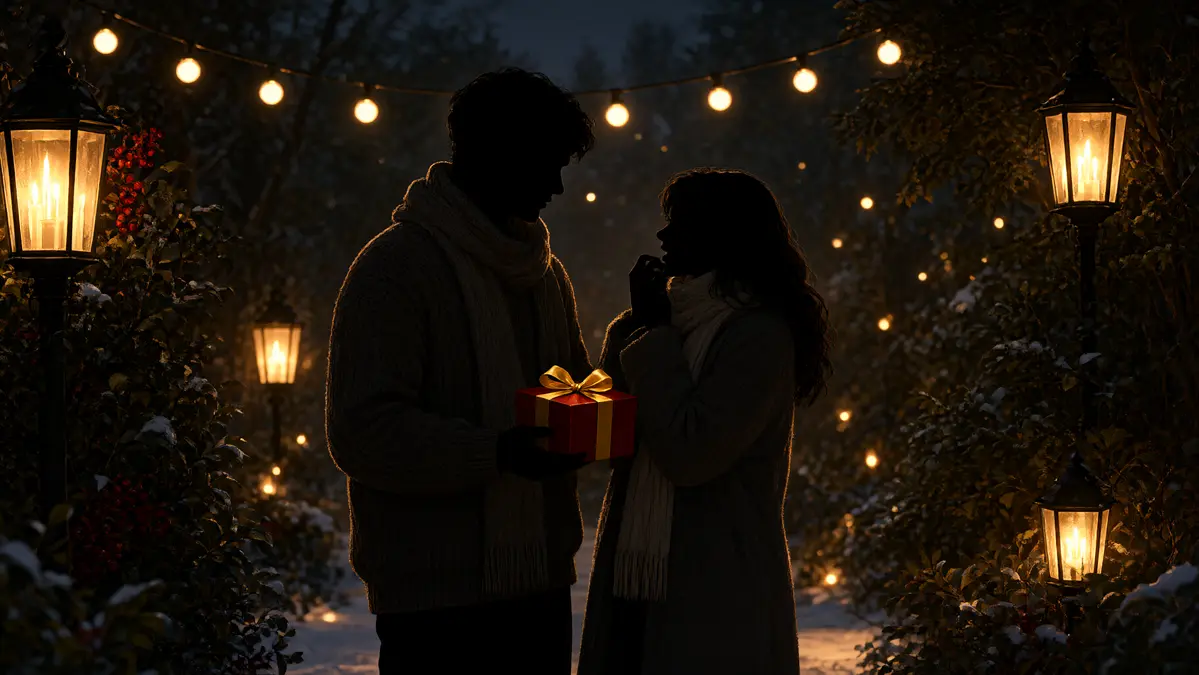
Yes — you can make a Christmas Lights Wife AI video with two photos. Upload one picture of each person, and the generator places your pair into a night scene glowing with holiday lights: a warm, cozy surprise moment between two people, rendered as a vertical 9:16 MP4, 5 or 8 seconds long. It's the short, tender counterpoint to the season's dance formats — no choreography, just the two of you and the lights.
This guide covers what the scene is (and the honest way this page describes it), how to cast your two photos, the steps on the Christmas Lights Wife AI page, costs, and posting timing.
What is the Christmas Lights Wife scene?
The format rides the wave of couple-holiday-surprise videos — the clips where one partner leads the other out into a garden or porch of glowing lights and captures the reaction. The AI version stages that emotional beat from two photos: your pair, the lights, the surprise moment, in one 5–8 second shot.
One thing this page does differently, stated up front: the example video on the page is the authority for what the scene looks like. The written description stays deliberately general — "a surprise moment between two people among night holiday lights" — because the scene is defined by its prepared reference video, and the tool follows that reference exactly. Before generating anything, watch the free example on the scene page; it shows the actual framing, the light mood and the beat of the moment far better than prose could. That's also the honest standard for what you'll get: the example is the scene.
Boundaries the scene keeps: both people come entirely from your two photos (no celebrity faces), and the prompt explicitly forbids arguments, real danger, or anything involving unsafe handling of electrical lights. The moment is tender, full stop.
Casting your two photos
Two roles, cast for the emotional beat:
- Photo A — the one who arranged the surprise. Clear, front-facing face, JPG/PNG/WebP up to 10 MB.
- Photo B — the one being surprised. Same photo rules. This is the reaction the camera loves.
Classic casts, in the spirit of the trend's name:
- You + your spouse or partner. The original format — "she thought we were just checking the mail."
- Parent + adult child. The homecoming version: the kid flies in, the lights are already on.
- Grandparent + grandchild. The gentlest possible use of the format.
- Two best friends. The "friendship surprise" — the trend's structure works beyond romance.
Permission matters double here: the clip is intimate by design, and both people should be happy with it being shared. General photo-selection rules apply (photo guide).
Step by step: making your lights video
- Watch the free example first. Open the Christmas Lights Wife AI generator — no account needed to watch. This is the single most important step on this page: the example defines the scene.
- Upload Photo A and Photo B. Each identity locks to its role in the moment.
- Choose the length — 5 or 8 seconds. This scene keeps it short on purpose: a surprise beat, not a routine. Eight seconds gives the reaction room to land.
- Pick 480p (default), 720p or 1080p and read the credit quote for your combination before generating.
- Generate, review, download. Allow five minutes or more. Check both faces in the glow (night lighting is atmospheric but dimmer — review carefully), then download the watermark-free MP4 and post.
How much does it cost?
The same pay-per-video model as every scene on this site: exact credits quoted before you generate, one-time packs, no subscription, free example watching without an account. A technical failure returns credits automatically; a finished-but-imperfect result is charged, and a re-render is a new paid attempt. Category trade-offs are covered in the general guide and the no-watermark guide.
When to post it
Holiday-emotion content peaks late: December 15–25 is this scene's zone (the dance formats peak earlier; tenderness peaks when people are home). Post the first clip in that window, keep a second pairing in reserve for the actual holiday, and lean on nostalgia framings after Christmas. For the fuller seasonal calendar, see the timing section of the Christmas dance guide.
Five posting tips
- Caption the backstory, not the mechanics. "He spent a week on the lights. I spent 8 seconds crying." — the story is the content; nobody needs to know the AI part unless disclosure requires it.
- Disclose AI content where the platform expects it — sincerity and disclosure can coexist.
- Check both faces in low light. Dim scenes drift more; review before posting.
- Pair with a soft licensed track. Gentle piano or acoustic in-app sounds match the mood.
- Keep it private if it's real. Some surprises are for two people — the download is yours to keep.
FAQ
What exactly happens in the scene?
The free example on the scene page shows the exact moment — the written description stays general by design, and the example is the honest reference for framing, mood and pacing.
Why only 5 or 8 seconds?
The scene is built as one short emotional beat. The prepared reference runs to just under 8 seconds; stretching it further would mean faking the source, which this site doesn't do.
Do I need photos in winter clothes or at a decorated place?
No — two ordinary photos are enough. The lights, the night setting and the atmosphere are generated; the scene supplies the wardrobe mood.
Can I use it for a proposal?
You can generate the scene, but don't stage a real proposal around an AI clip — generate it as a keepsake after the real moment, with the real photos. The real reaction beats the rendered one.
Where do I start?
Open the Christmas Lights Wife AI page, watch the example, cast your two photos. More holiday formats: the Christmas duet guide and 25 ideas roundup, or browse the main studio.